
1º Step
For the best experience, use the simulator on your computer and switch to full-screen mode using the button in the top-right corner
2º Step
Enter the address where you want to simulate the pool and adjust the map as needed. Zoom in or out for a better view of your backyard.
3º Step
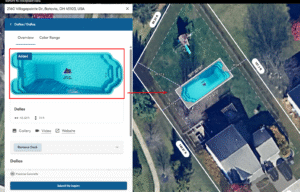
Select the pool model you want to simulate and place it on the map in the most suitable spot within your backyard.
4º Step
Once you find the ideal model for your space, get in touch with us for a quote or to ask any questions.
